OPC UA Client and Server
Using the FlowFuse Certified Node for OPC UA, connect to any OPC UA server as a client, or host your own server on self-hosted FlowFuse. Bridge structured, secured industrial data to Modbus, EtherNet/IP, MQTT, historians, and the cloud, all from one canvas.

What is OPC UA?
OPC UA (OPC Unified Architecture) is the modern, platform-independent standard for exchanging data between industrial equipment, applications, and enterprise systems. Where a protocol like Modbus moves raw register values, OPC UA exposes a structured information model, an address space of typed objects and relationships, with security built into the spec rather than bolted on.
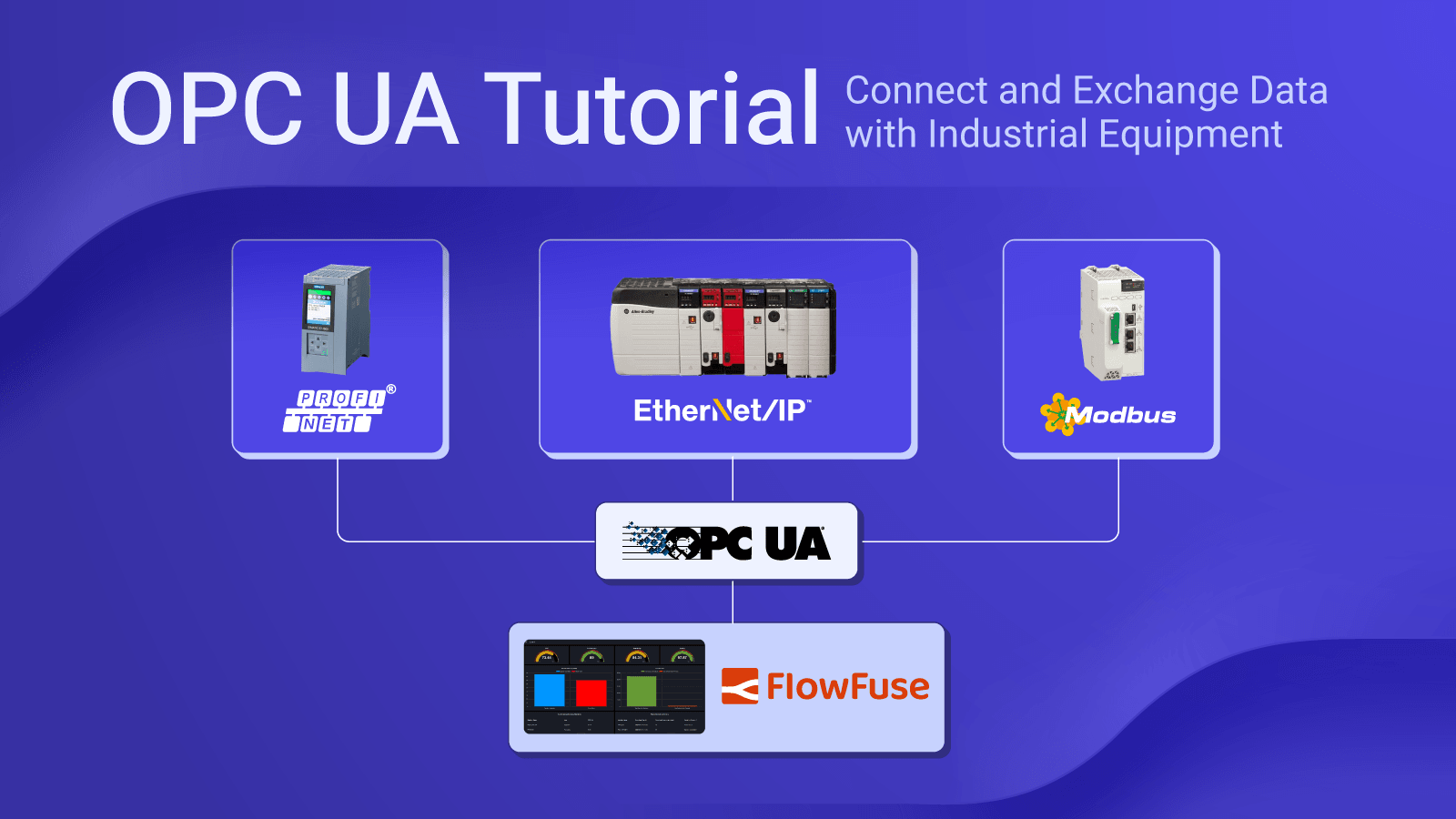
FlowFuse connects to OPC UA through a dedicated Certified Node, then bridges that data to Modbus, EtherNet/IP, MQTT, or a historian without a separate gateway. If you're integrating directly with PLC hardware across multiple protocols, the FlowFuse PLC integration covers that broader case.
What is an OPC UA Client?
An OPC UA client is the application that connects to a server to browse, read, write, and subscribe to data. That source might be a PLC, a historian, or any other software exposing its own OPC UA server.
FlowFuse acts as a client on any deployment, cloud or self-hosted, connecting to any third-party OPC UA server without restriction.
What is an OPC UA Server?
An OPC UA server exposes data as a browsable information model that other applications connect to. It's the source side of the relationship: a PLC, historian, or gateway that other software queries.
FlowFuse can host its own OPC UA server, exposing a curated information model built from any connected data source, in the same runtime as its client.
Backed by a FlowFuse Certified Node
FlowFuse connects to OPC UA through a FlowFuse Certified Node built on node-opcua and maintained by Sterfive, the team behind that open-source stack. Certified Nodes are vetted for quality, security, and ongoing support, unlike community packages, which can go unmaintained without warning.
One node handles both directions: connect to third-party OPC UA servers as a client, or host your own server on self-hosted FlowFuse (not available on FlowFuse Cloud). Both sides share a single certificate store, so a trust decision made for one applies to the other. The node ships through the FlowFuse Edge Certified Nodes catalogue, contact us to enable it for your instance.
Core OPC UA capabilities in FlowFuse
FlowFuse supports OPC UA through dedicated client and server nodes, making it easy to connect OPC UA systems to your industrial applications.
Structured Information Model
Browse a real address space of objects, types, and relationships instead of a flat register list. Data arrives with a name and structure attached, not a bare tag number.
Browse & explore the address spaceReal-Time Subscriptions
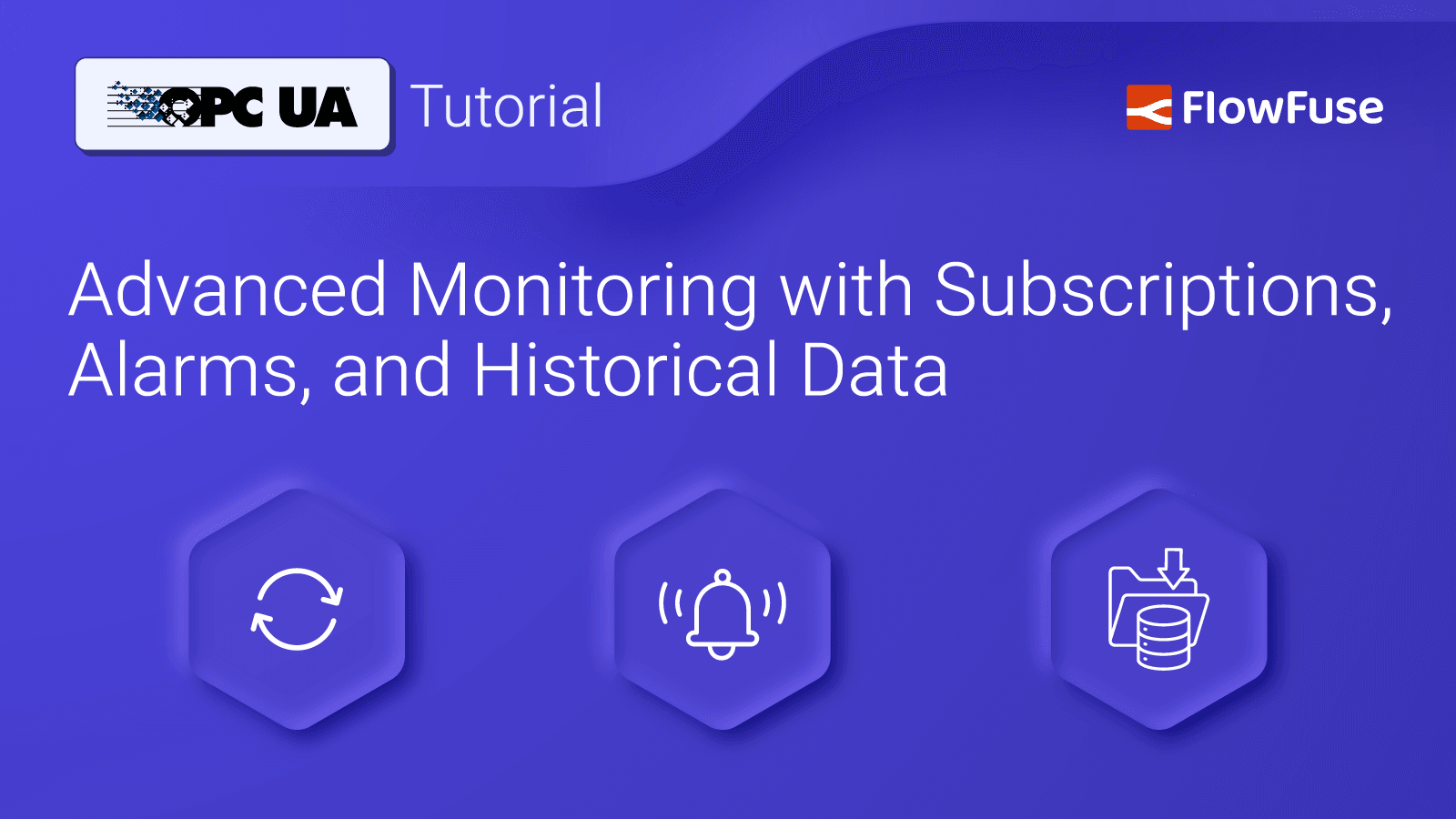
Subscribe to nodes and get notified only when values change. No polling every tag on a fixed interval, no wasted controller scan budget.
Monitor node referenceHistorical Access & Logging
Read a server's native History (HA) service, or log live values into InfluxDB or TimescaleDB. Trends stay queryable long after the PLC buffer rolls over.
History Read node referenceAlarms & Events
Subscribe to condition-based alarms natively, filtered by type and severity on the server side. Stop polling fault bits and reconstructing state changes after the fact.
Monitor Event node referenceSecurity Built Into the Spec
X.509 certificate authentication, user authentication, and SignAndEncrypt come with the standard. Manage the certificate trust list yourself instead of leaving it on vendor defaults.
Configure a secure connectionClient + Server, One Runtime
Read and write a third-party server as a client. On self-hosted FlowFuse, expose your own information model as a server, side by side.
Hosting an OPC UA serverOPC UA is one protocol. FlowFuse bridges all of them.
Real plants are never one protocol. OPC UA on the new line, Modbus on the legacy skid, EtherNet/IP on the Allen-Bradley cell, a camera feed nobody's touched since commissioning. FlowFuse runs them all together, so bridging data between them is a wire between nodes rather than a separate integration project.
Modbus
TCP, UDP, and Serial (RTU/ASCII), running right next to your OPC UA connections. Read and write coils and registers, or simulate a server for testing.
Modbus Certified NodeEtherNet/IP (CIP)
Native Rockwell and Allen-Bradley connectivity: ControlLogix, CompactLogix, Micro800, SLC500, and other CIP-capable devices, normalized into the same data model as your OPC UA connection.
CIP Suite Certified NodeRTSP Video
Turn factory-floor camera feeds into images your flow can act on. Join a frame with the OPC UA values read at that instant, so a quality event is recorded with both the picture and the process conditions behind it.
RTSP Certified NodeSiemens S7
Direct S7comm connectivity to S7-300, S7-400, S7-1200, and S7-1500 PLCs, for the many Siemens deployments that predate an OPC UA server.
Siemens S7 integration guideMQTT
Publish OPC UA, Modbus, or S7 data to any MQTT broker, normalized into a Unified Namespace topic hierarchy on the way.
Bridging OPC UA to MQTT5,000+ Community Nodes
Beyond the certified set: PROFINET, BACnet, DNP3, IEC 61850, Mitsubishi MC Protocol, Omron FINS, Beckhoff TwinCAT ADS, and more, wired in beside your OPC UA flow.
Browse the node libraryModbus, EtherNet/IP, and RTSP ship as FlowFuse Certified Nodes through the FlowFuse Edge catalogue. Everything else is a free, open-source community node or built into core Node-RED.
Lock down OPC UA security, don't leave it optional
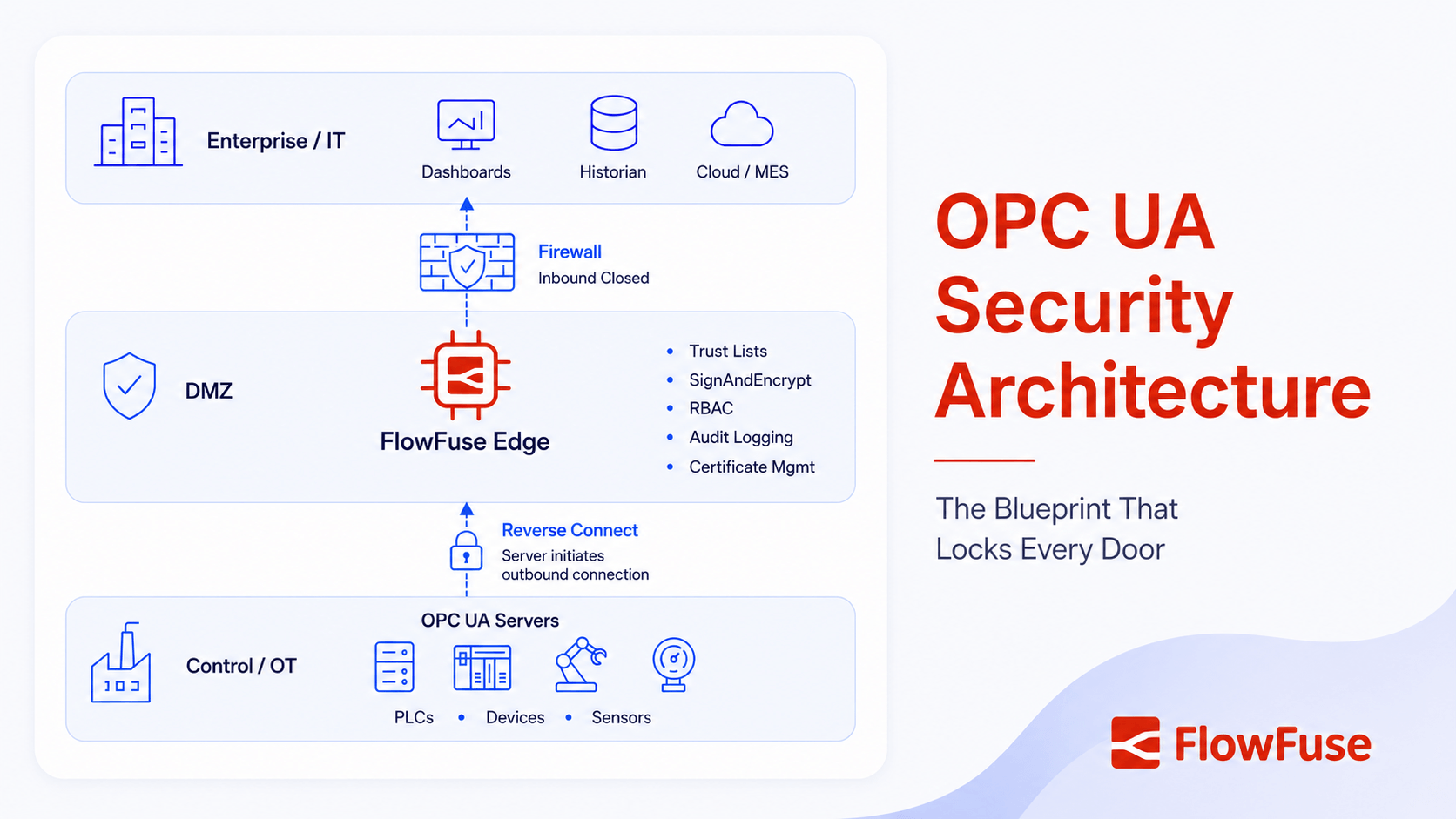
Most OPC UA breaches in the field don't come from broken cryptography. They come from security that was configured once during commissioning and never switched on. FlowFuse makes the secure path the easy path.
How attackers get in
Disabled trust lists, self-signed certificates that never rotate, and Security Policy left at None since commissioning. These are the openings threat actors actually use, not cryptographic flaws in the standard.
Read: how threat actors exploit OPC UAA defensible architecture
Certificate trust you configure explicitly, SignAndEncrypt as the default message mode, username/password or X.509 authentication, and role-based access for anything you host yourself. A checklist turned into working configuration.
Read: building a defensible OPC UA architectureBuilt for enterprise OPC UA deployments
FlowFuse is SOC 2 Type I and Type II certified, with role-based access control, single sign-on, audit logging, and air-gapped, self-hosted deployment options, for teams running OPC UA clients and servers across regulated or security-sensitive plants.
Review our security and compliance detailsSOC 2 Type II
Single Sign-On
Audit Logs
Role-Based Access Control
Air-Gapped / Self-Hosted Deployment
How does OPC UA compare?
OPC UA gets compared to other protocols and products constantly, usually without enough nuance. Here's the honest version of each.
OPC UA vs MQTT
Different jobs, not rivals. OPC UA pulls structured data out of a single source. MQTT distributes it many-to-many across a Unified Namespace. Most plants run both.
Read the full comparisonOPC UA vs Modbus
OPC UA wins on security, data typing, and discoverability. Modbus still ships on new field devices because it's cheap, simple, and universal.
Why Modbus survivesOPC UA vs OPC DA
OPC DA is the Windows-only COM/DCOM original, with no built-in security and no information model. Most teams bridge DA into UA rather than choose between them.
Bridge a legacy OPC serverFlowFuse vs Kepware
Per-tag pricing scales badly, and ownership changes make long-term cost harder to predict. Connect to your existing Kepware server, or replace it outright.
Beyond KepwareWhat you can build with OPC UA + FlowFuse
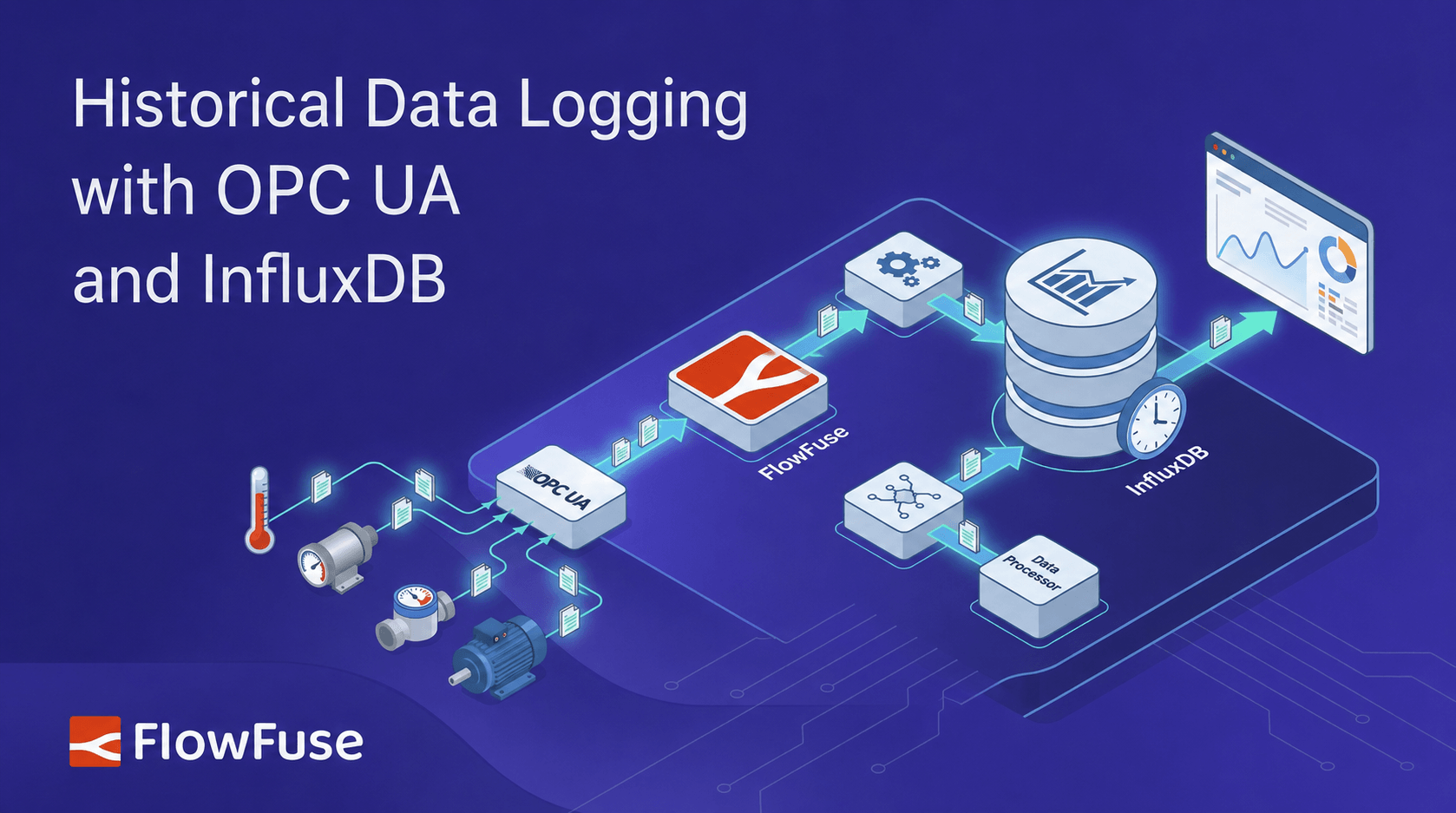
Historical Data Logging
Subscribe to OPC UA nodes and write timestamped values into InfluxDB or TimescaleDB, for a durable history that outlives the server's own buffer.
OPC UA to InfluxDB guideOPC UA Client Dashboards
Browse an address space, read and write values, subscribe to alarms, then wire the results straight into a live operator dashboard. No separate client, no separate HMI license.
Build an OPC UA client dashboardBridging OPC UA to MQTT / UNS
Pull structured data out of an OPC UA server and republish it to any MQTT broker, normalized into a Unified Namespace topic hierarchy on the way.
Bridging OPC UA to MQTTAgentic AI on OPC UA Data
Let an AI agent query the information model directly, correlating live values, alarms, and history to surface a root cause instead of a manual address-space search.
Agentic AI reads OPC UA serversMigrating Off Kepware
Connect to an existing KepServerEX server as a client today, no rip-and-replace. Retire it on your own timeline by hosting an equivalent server on self-hosted FlowFuse.
Connect to a Kepware OPC serverHosting Your Own OPC UA Server
Model your own address space and expose it as a standards-compliant server, so any SCADA, historian, or other client can browse and subscribe to it. Requires self-hosted FlowFuse.
Deploy a basic OPC UA serverFrom OPC UA to insight, step by step
Connect or Build
Browse and connect to an existing OPC UA server as a client. On self-hosted FlowFuse, model your own address space and expose it as a server, from the same canvas.
Secure the Session
Set Security Policy to SignAndEncrypt, then add the client certificate to the server's trusted list so the secure handshake succeeds.
Bridge Other Protocols
Wire in Modbus, EtherNet/IP, or Siemens S7 nodes alongside OPC UA on the same canvas, for the plants that aren't running OPC UA end to end.
Visualize, Route & Scale
Wire the results into a live dashboard, forward data to MQTT, a time-series database, or a cloud platform. Then push the flow to one edge device or a thousand with one click.
Frequently asked questions
OPC UA guides and webinars
Start here
Secure it

Compare and migrate


Put the data to work
Webinars



Ready to build an OPC UA client or server the right way?
No per-tag licensing. No Security Policy left at None. Connect to any OPC UA server, host your own, and bridge both to Modbus, MQTT, or a historian without extra middleware. See it live, or start free.